

Vote for your candidate
📢 Results report
The Secretariat of the Escazú Agreement is pleased to publish the report on the voting process to elect representatives of the public for the 2026–2030 term.
This report details the votes obtained by each candidate, listed in descending order according to the number of votes received by each, as set out in the Rules of Procedure. All candidates have been listed by electoral sub-region, indicating the country and gender of each candidate (see the full report).
The Secretariat of the Escazú Agreement would like to thank everyone who took part in this process, both the candidates and the public who voted, and invites them to continue supporting the implementation of the Escazú Agreement in Latin America and the Caribbean.
Phases
Vote for your candidate
🗳️ Step-by-step guide: How to vote on the Regional Public Mechanism Platform of the Escazú Agreement?
Before you begin: Eligibility check
- Mandatory requirement: Only those registered with the Regional Public Mechanism by the closing date of the electoral roll on 31 July 2026, who have completed their profile and received the certification by email sent by the Escazú Agreement Secretariat, may cast their vote.
- Voting dates: The voting system will only be available on 10 and 11 November 2026 (until 23:59 Santiago, Chile time).
Step 1: Access the platform
- Go to the Regional Public Mechanism platform via the official web link: Regional Public Mechanism platform
Step 2: Log in to your account
- In the top bar of the page, click on the “Log in” option.
- Enter the email address you used to register on the platform and your password (if you have set one). You can reset your password by clicking on ‘Forgotten your password?’.
- If you do not have a password: Request verification via a confirmation code, which will be sent automatically to your inbox.
- ⚠️ PLEASE NOTE: Make sure you log in using the exact email account you used to register. If you usually use more than one email address, make sure you log in using the one that is verified for voting.
- Before casting your vote, you can review the list and details of the officially nominated candidates in the section “Meet the candidates for representatives of the public under the Escazú Agreement”.
- By clicking on each candidate, you can view their profile, background and the proposals they have put forward as part of their election campaign in the section “Election Forum”.
Step 3: Go to the “Vote for your candidate” section
- Click on the “Cast your Vote here” button.
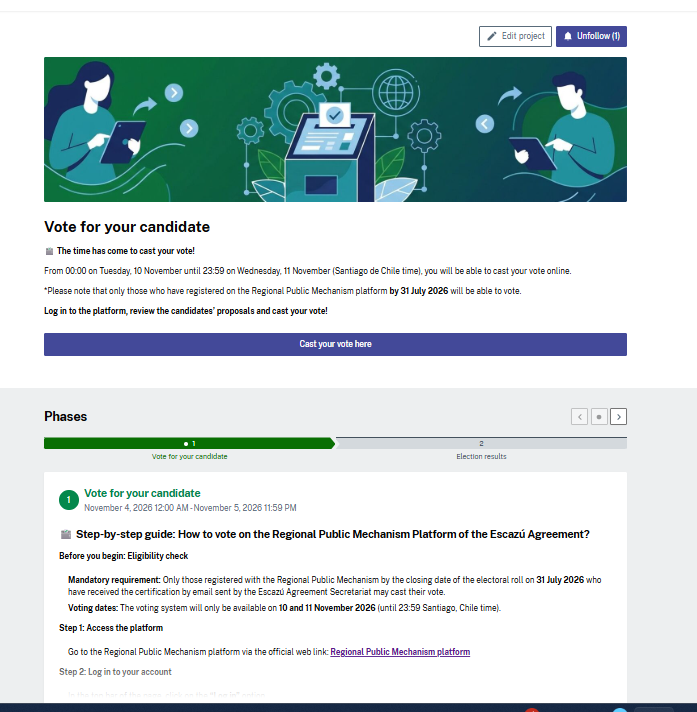

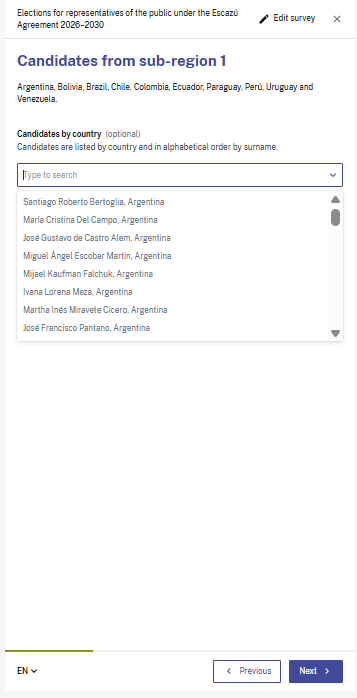
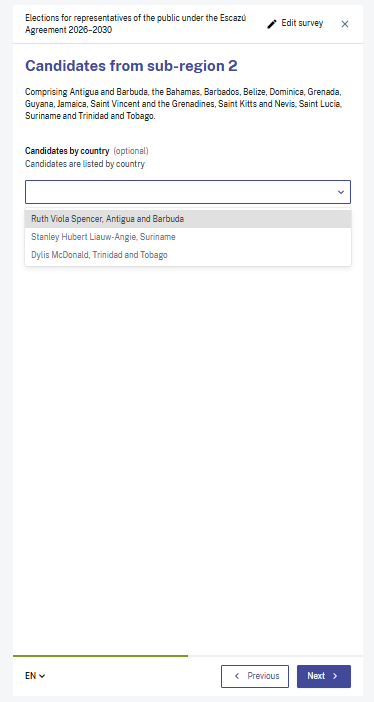
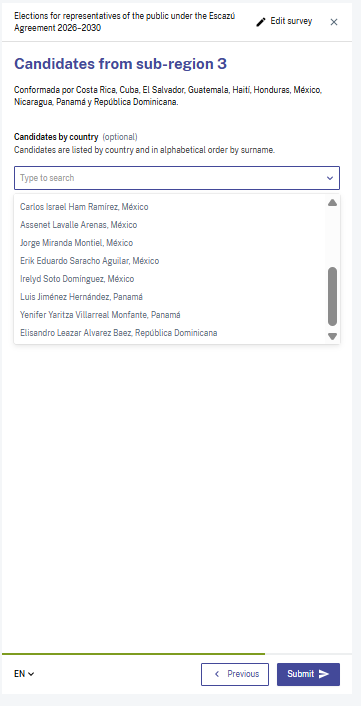
- Below, you will find a list of all accepted candidates, broken down by the electoral sub-region in which they are standing and by country. Within each sub-region, candidates are grouped by country in alphabetical order by surname.
- Each person has ONE VOTE for a single candidate, who may be from any of the three electoral sub-regions (there is no restriction on voting only for candidates from your country or sub-region of residence).
- You must tick the box corresponding to a single option/candidate of your choice.
- Once you have ticked your choice, click the " Submit " button to submit your vote. PLEASE NOTE: If you click “Submit”, you will NOT be able to go back.
- Sub-region 1: Argentina, Bolivia, Brazil, Chile, Colombia, Ecuador, Paraguay, Peru, Uruguay and Venezuela: Click on the down arrow to find your candidate, then select their name and click on the ‘Submit’ button; alternatively, you can click on the ‘Next’ button below to move on to the next sub-region.
- Sub-region 2: Antigua and Barbuda, the Bahamas, Barbados, Belize, Dominica, Grenada, Guyana, Jamaica, Saint Vincent and the Grenadines, Saint Kitts and Nevis, Saint Lucia, Suriname and Trinidad and Tobago: Click on the down arrow to find your candidate, then select their name and click on the ‘Submit’ button; alternatively, you can click on the ‘Next’ button below to move on to the next sub-region.
- Sub-region 3: Costa Rica, Cuba, El Salvador, Guatemala, Haiti, Honduras, Mexico, Nicaragua, Panama and the Dominican Republic: Click on the down arrow to find your candidate, then select their name and click on the ‘Submit’ button.
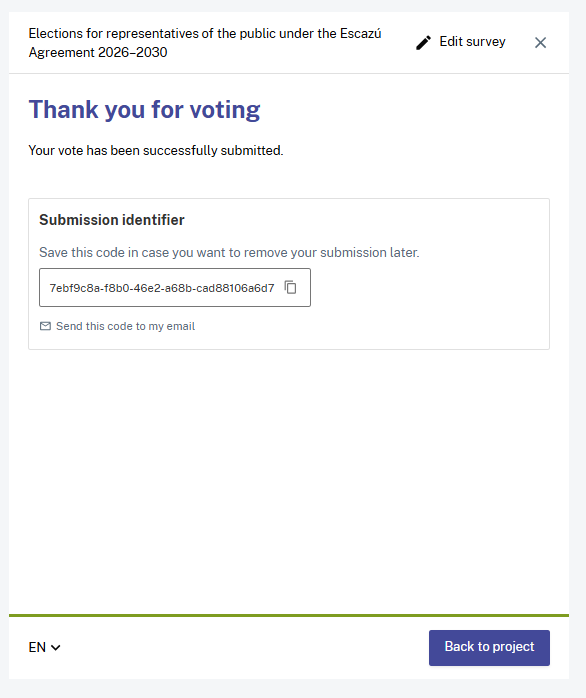
- Make sure you see the message on screen confirming that your vote has been successfully received: "Thank you for voting!"
📌 Support and technical enquiries
If you experience any difficulties logging in or whilst casting your vote, you can contact the Escazú Agreement Secretariat by email at: secretaria.escazu@cepal.org.